Japan | DOCOMO 4G eSIM | Day Pass/Total Package | Natural Day Billing | 1-30 days | QR code

Japan | DOCOMO 4G eSIM | Day Pass/Total Package | Natural Day Billing | 1-30 days | QR code

1 day / Daily 0.5GB
$0.51
할인가  $0.51 정가 
제품 정보로 건너뛰기
Japan | DOCOMO 4G eSIM | Day Pass/Total Package | Natural Day Billing | 1-30 days | QR code
  • eSIM

Japan | DOCOMO 4G eSIM | Day Pass/Total Package | Natural Day Billing | 1-30 days | QR code

$0.51
할인가  $0.51 정가 
Package Days
Package Contents

Device Info

· Coverage: Japan

· Carrier: DOCOMO (IIJ, Local IP)

· Installation Times: The eSIM supports multiple deletions and installations on the same device, up to 5 times.

·Billing Explanation: Billing is based on natural days in the UTC+9 time zone, meaning the data resets daily at 00:00 UTC+9. To ensure your usage duration, it is recommended to avoid installing the eSIM close to 00:00 UTC+9. You can add the UTC+9 time zone in your phone's clock app to conveniently check the accurate billing reset time.

Product Details

Validity Period

Valid for 60 days from the booking date, Valid for 1 use(s) only

What's Included

eSIM + Data Plan

Hotspot / Tethering Supported (hotspot data usage cannot be viewed separately)

X Voice call

X SMS

X Renewable / Top-Up / Recharge (If you wish to continue using, please repurchase)

How to use

The actual steps may vary depending on the OS version and device model.

[Install eSIM]
*Each QR Code can only be used on one device. Once installed, the eSIM will be bound to that device and cannot be transferred to another

Method ① In-app Installation for iOS (not available on Android):
• Please ensure your Trip.com App is updated to the latest version and your iPhone system is upgraded to iOS 17.4 or higher. You can then install the eSIM directly within the App.
• Open the Trip.com App > Go to Account > All Bookings > Tap the “Install” button

Method ② Scan QR code/Manually enter eSIM information to install:
1. Open the QR code attachment from the order in the Trip.com app, and print it in advance or save it to another electronic device.
2. Open "Cellular Network (iOS)" or "SIM Card Management (Android)" in Settings.
3. While the phone is connected to the internet, click "Add eSIM" and scan the QR code to install.
4. If you can't scan the code, enter the "SM-DP+Address and Activation Code" from the order voucher to install.
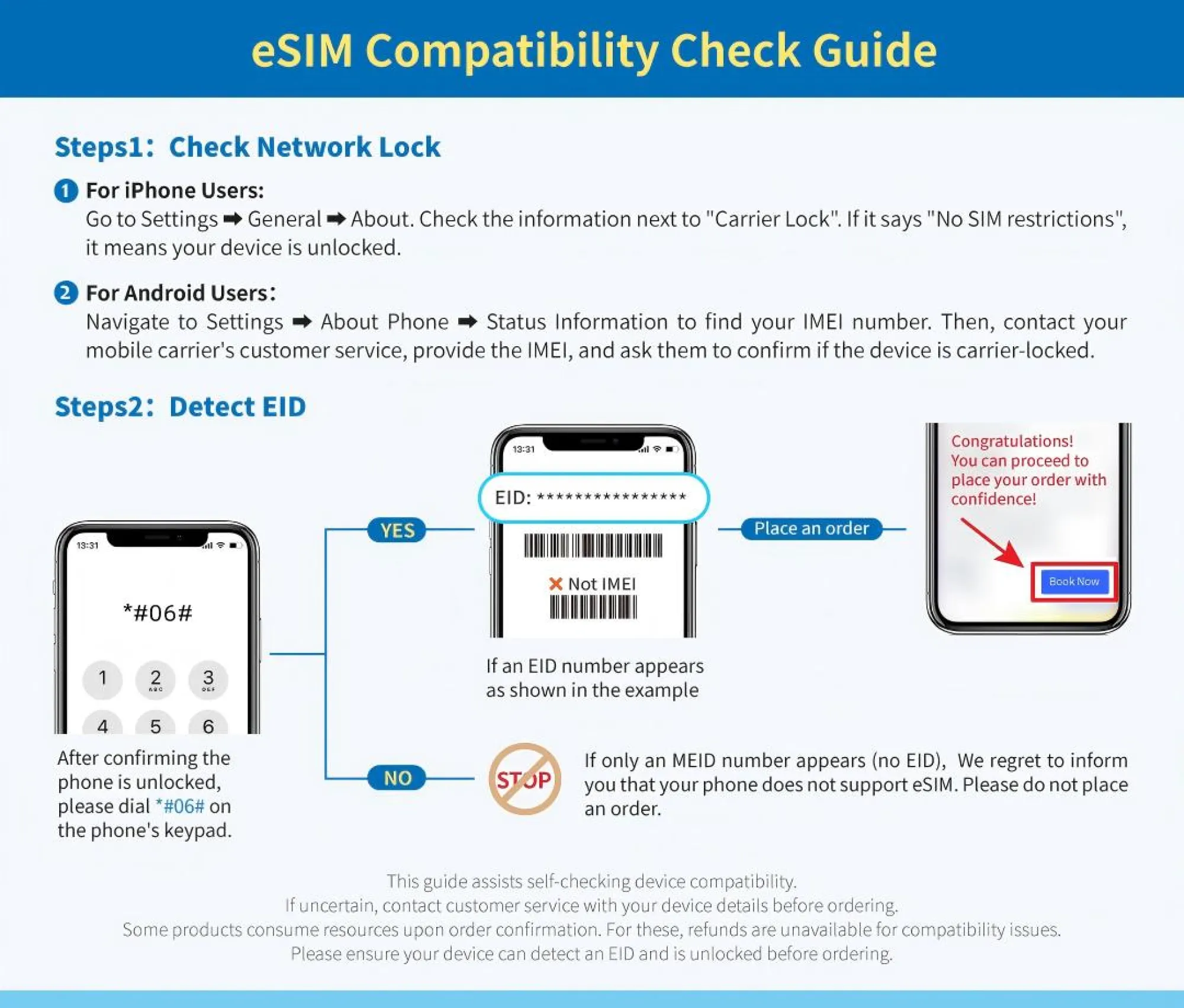
5. If steps 3/4 fail, your phone may be locked by the home carrier (unable to use other carrier networks). Contact the carrier to unlock it before using eSIM.

[Using eSIM]
1. Turn off the primary SIM card and turn on the eSIM network switch.
2. Enable "Cellular Network (iOS)" or "SIM Card (Android)".
3. If you still cannot connect to the internet after the above settings, set the APN and restart. See the information below for details.

[About APN]
1. Setting Path: iOS: Settings > Cellular Data > Cellular Data Network > Enter APN DetailsAndroid: Settings > Connections > Mobile networks > Access Point Names(APN) > Edit APN or Add APN
2. Enter APNAPN: uad5gn.au-net.ne.jpUsername: au@uad5gn.au-net.ne.jpPassword: au
3. Restart your phone.

[Customer Support ]
If you encounter any issues during use, please do not delete the installed eSIM. Provide your order number and screenshots of your phone settings to our customer support team, and we will offer prompt assistance.

Important note

[Disable Domestic SIM Card Roaming]
Before using an eSIM, make sure to turn off data roaming on your domestic SIM card to avoid incurring high international roaming charges. You will be responsible for any related fees, including roaming charges, overseas SIM card/eSIM purchase costs, and transportation expenses. No additional compensation will be provided.

[Maintaining Fair Usage Policy]
To maintain network quality and the Fair Usage Policy (FUP), telecommunications companies may throttle users who consume large amounts of data within a short period, leading to slower speeds or inability to connect. To ensure stable internet access, please avoid activities that consume excessive data, such as prolonged video streaming/downloading, software updates, or sharing your network (hotspot).

You may also like